On most servers the game is what it is. Here it isn't. 2Moons Studio is the tool our developers and admins use to change any part of 2Moons: maps, skills, monsters, the interface, the economy, and the server itself. That means the server can become what its players want. Tell us what you love and what you don't, and we can change it.
The Studio is for our team only, so you won't find a download here. What you will see is its work: every change shows up in the patch notes as it was before and as it is now.
Game editors
Everything a player sees in 2Moons can be opened, checked and changed here.
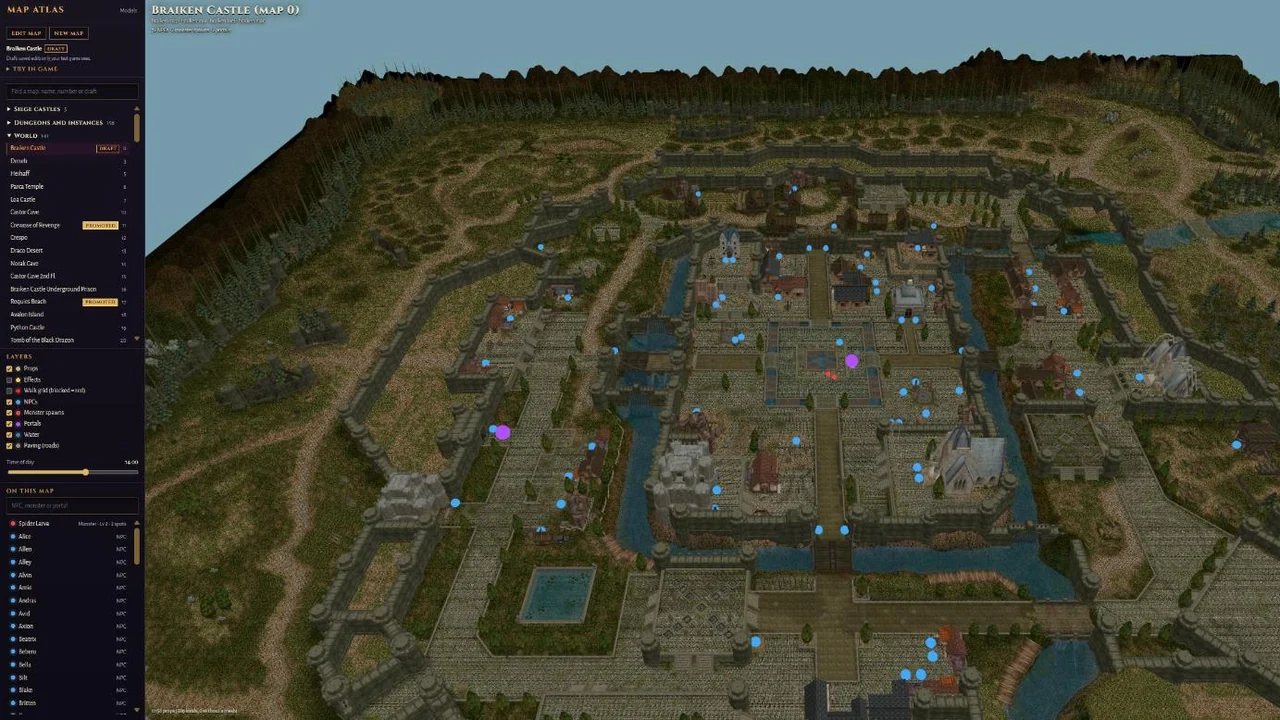
Map editor
Every map of the game in 3D, exactly as the game stores it: the terrain, water and roads, every house, tree and wall, and where each NPC stands, where monsters spawn and where portals lead.
- Layers you switch on and off: props, effects, the walk grid (where you can and can't walk), NPCs, monster spawns, portals, water and roads, plus the time of day.
- Move a spawn, add a portal, place an NPC, or start a brand new map.
- Every change is a draft first: we try it in a test game, and only then put it on the server.
Skill editor
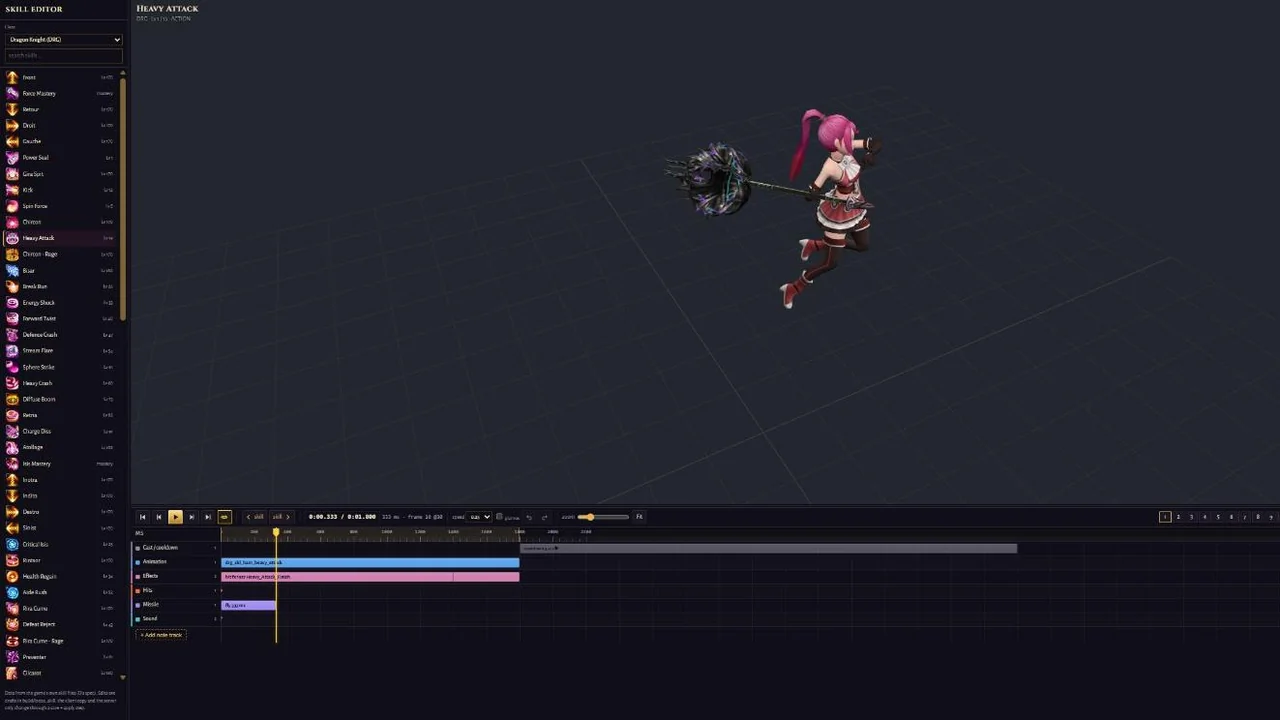
Every skill of all 15 classes, laid out on a timeline the way the game plays it: the animation, the moments the hits land, the effects, the sounds and the cooldown.
- The character casts it in 3D next to practice dummies, with its range drawn on the ground, so you see who it hits.
- Range, cast time, cooldown and cost can be changed in one place, with the shipped values next to the new ones.
- A skill that feels too slow, too weak or too strong can be fixed the same day.
Quest Designer
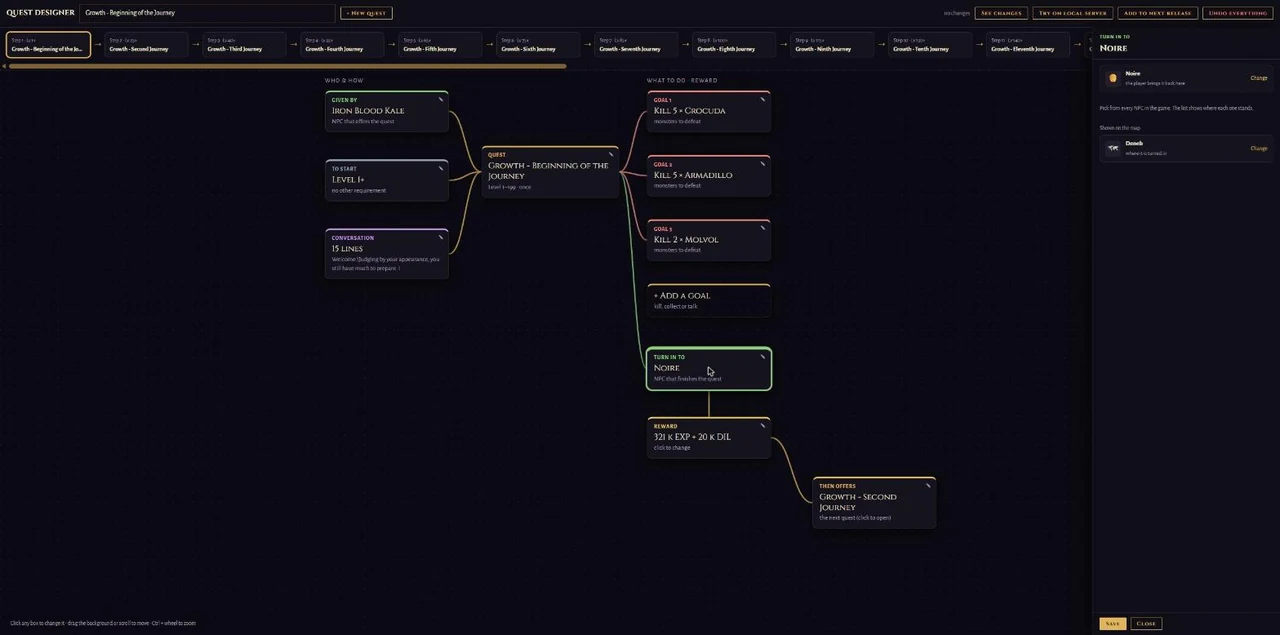
Every quest is a blueprint: who gives it, what you need to start it, its conversation, the goals, the drops, the reward, who you turn it in to, and the quest it opens next. Click any box to change it.
- Every NPC, monster, item and map is picked by name from the real game data, with where it is found.
- Whole storylines on one screen: the steps of a chain run along the top (here the Growth journey every new character starts with), so a story can be followed, reordered or extended at a glance.
- Add a new quest, change any part of one, or remove it; try it on a test server first, then add it to the next release.
Monsters, NPCs, pets and gear
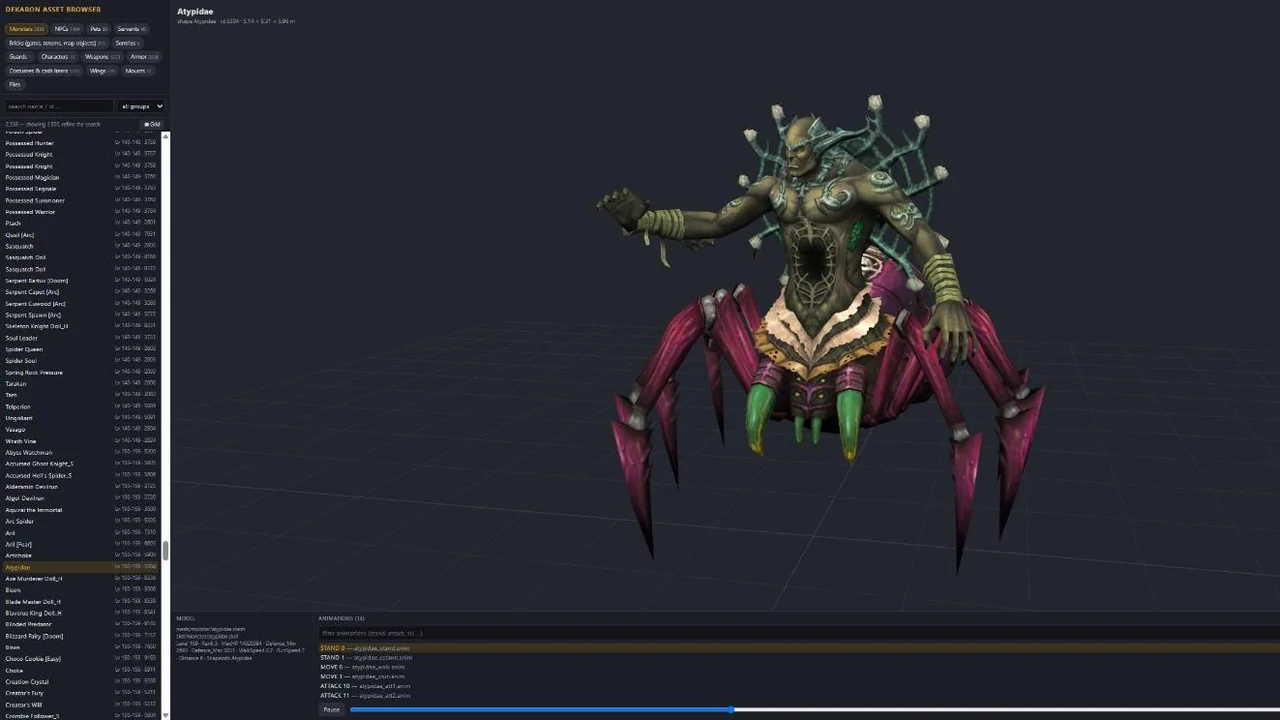
The whole game's cast: about 2,300 monsters, 1,400 NPCs, every pet, servant, mount, weapon, armour piece, costume and set of wings, with their 3D models, textures and every animation, straight from the game's own data.
- Search by name or id, turn a model around, play its walk, attack or death animation.
- See a monster's level and stats next to its model.
- This is where new monsters, new looks and new gear start.
Interface editor
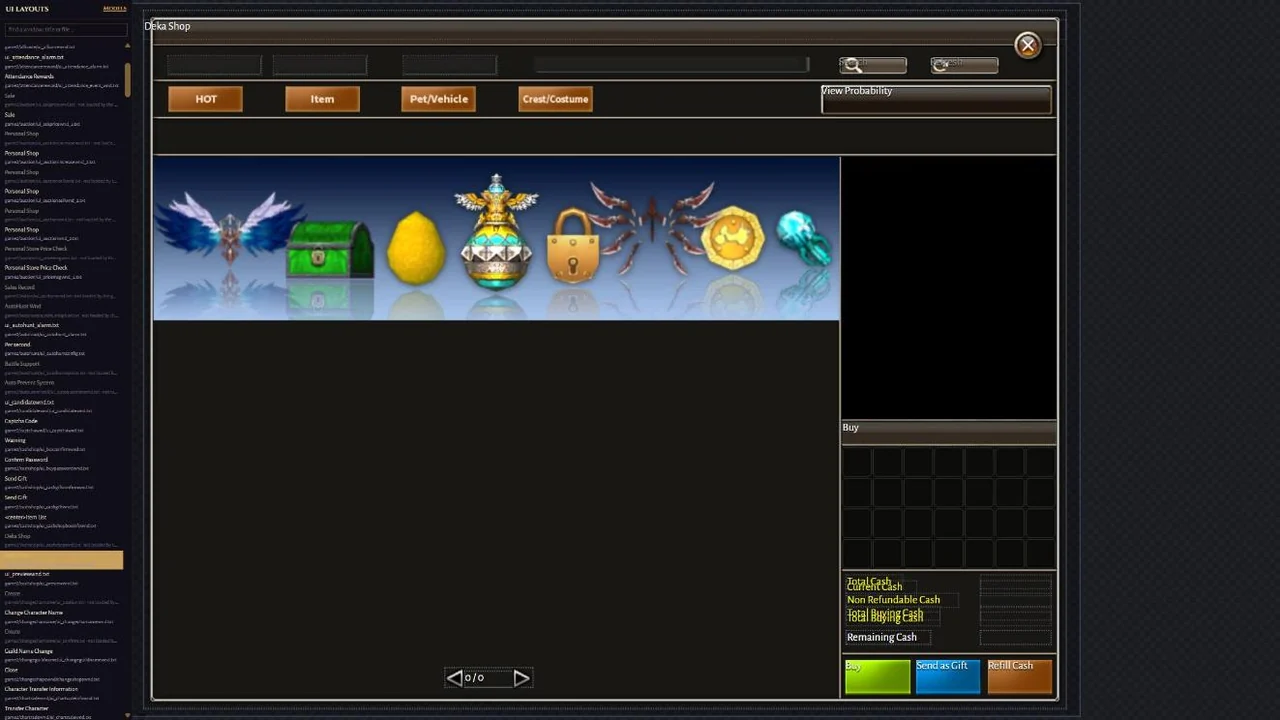
The game's windows, drawn the way the client draws them, from the same layout files.
- Click any button, label or panel to see its exact place and size, and drag it to move or resize it.
- Reword any text, or preview the window at another screen size.
- Changes stay a draft until they are tested in the game.
Economy editor
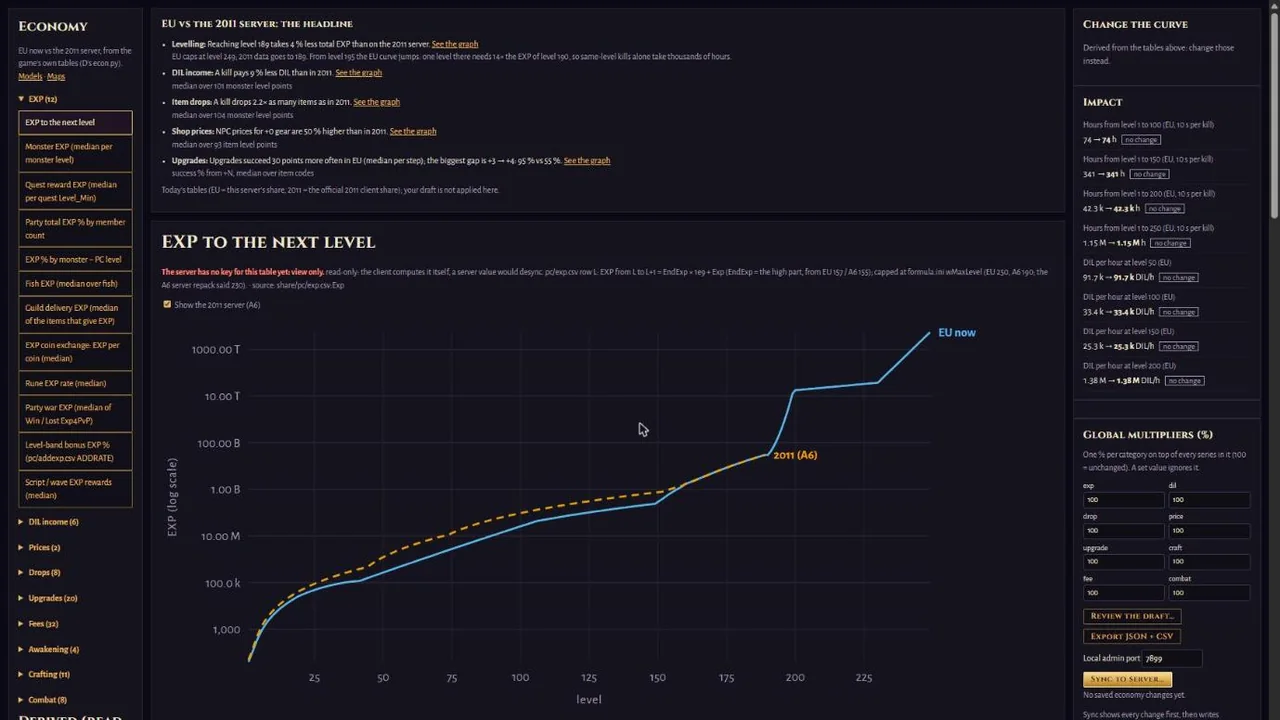
Everything that decides how fast you level and how rich you get, as curves: EXP to the next level, DIL from monsters, drop chances, shop prices, upgrade chances and fees, and more.
- Each curve shows the game as it is now, with the original 2011 server next to it for comparison.
- Before a change goes live, it shows what it does: how many hours of hunting a level takes, how much DIL an hour brings.
- Global multipliers for EXP, DIL, drops, prices, upgrades and crafting, and every change is kept in a history.
Admin panel
The same Studio runs the live server. After signing in, our team sees the admin panel: every page below, limited to what each person's role allows. The pictures show test data, not real players.
Live map (spectate)
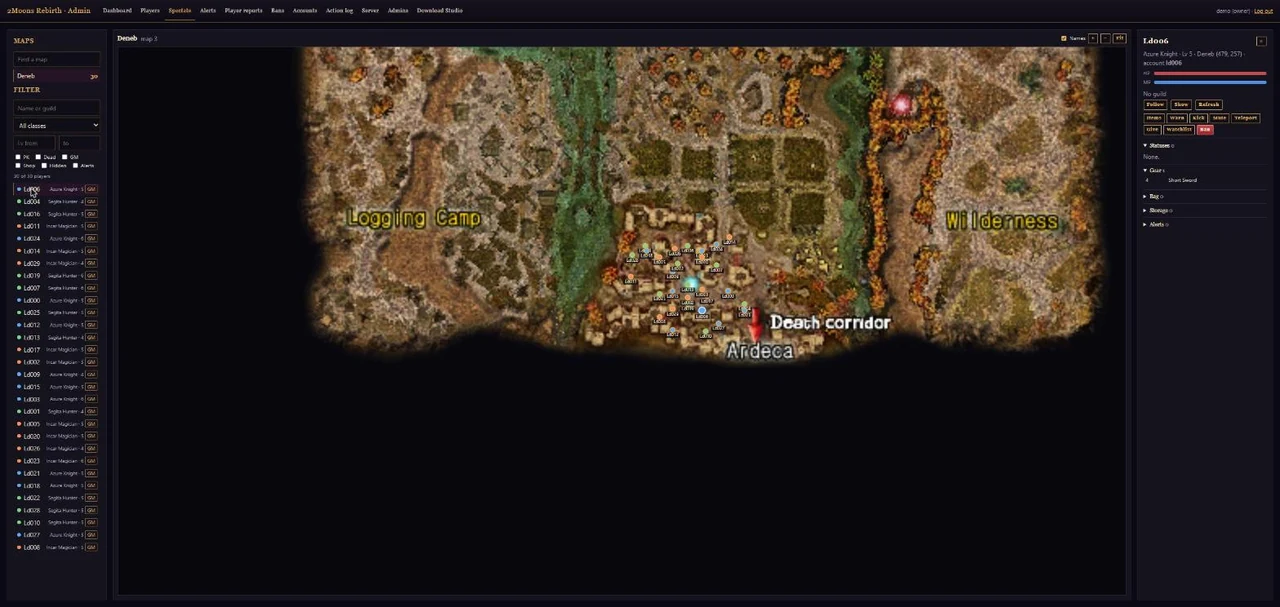
Any map of the game, live: the map as you know it from the minimap, with a dot for every player on it.
- Each player is coloured by class; filters show only players in PvP mode, dead ones, shops, game masters or hidden ones.
- Click a dot to see who it is and act on them right there (the same buttons as the Players page).
- Follow a player: the view changes map with them.
Players
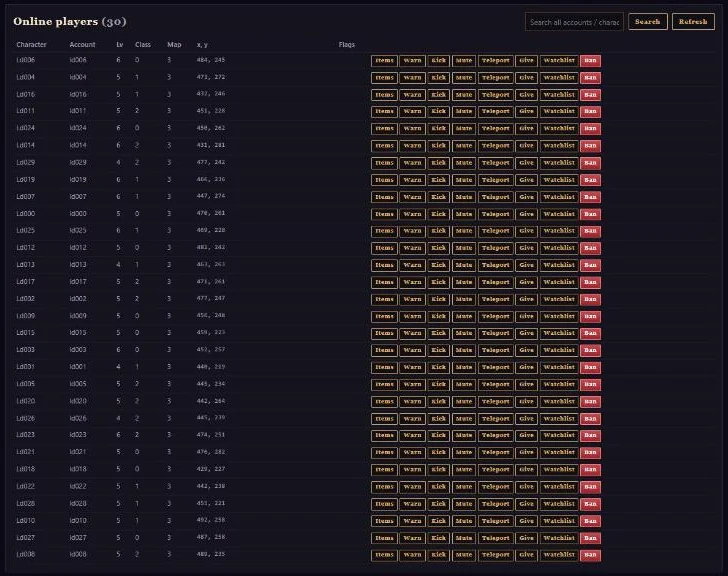
Find any player, online or not, and see their characters and items.
- Kick, mute or unmute, warn, or teleport a player (game masters).
- Give items or DIL, for example to replace something lost to a bug (admins).
Accounts
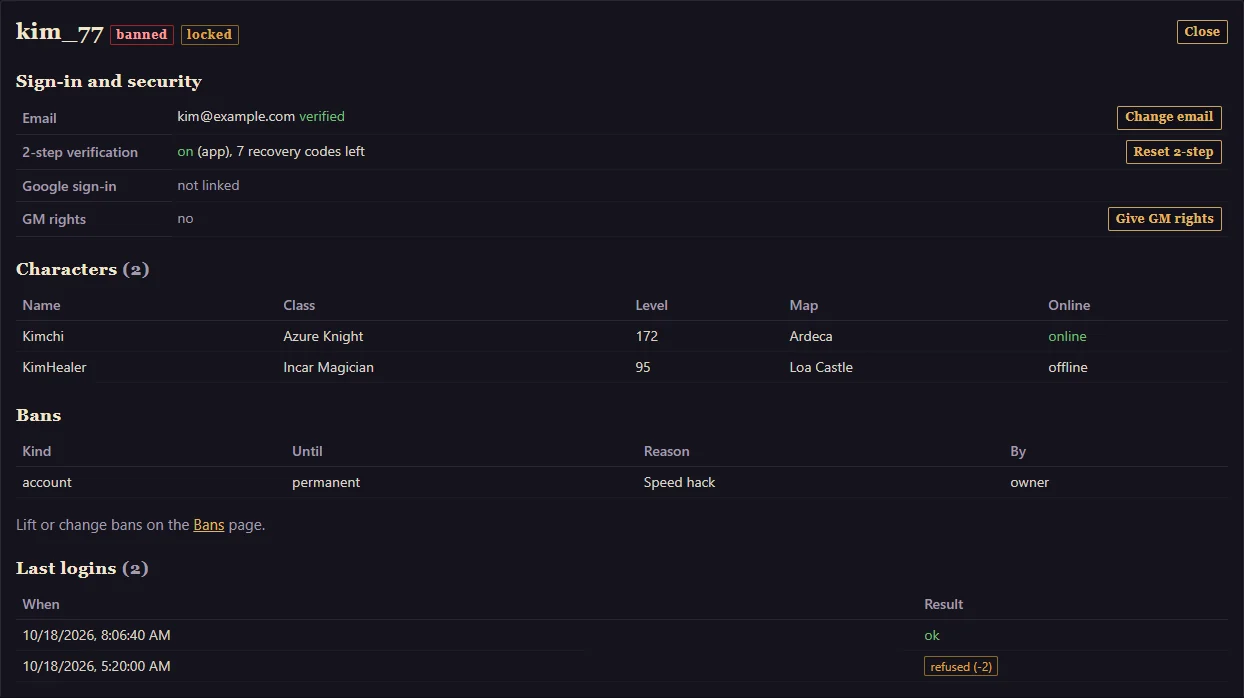
Everything about one account on one page: its email and whether it is confirmed, 2-step verification, the Google link, its characters, its bans and its last logins.
- Unlock an account after too many failed logins, change the email or reset 2-step verification, for a player who lost access.
- Give or take away game-master rights.
Bans
Ban an account, a connection or a PC, for a set time or for good, with the reason the player is shown when they log in. Bans can be changed or lifted, and every one is recorded with who did it.
Fair play: anti-cheat and player reports
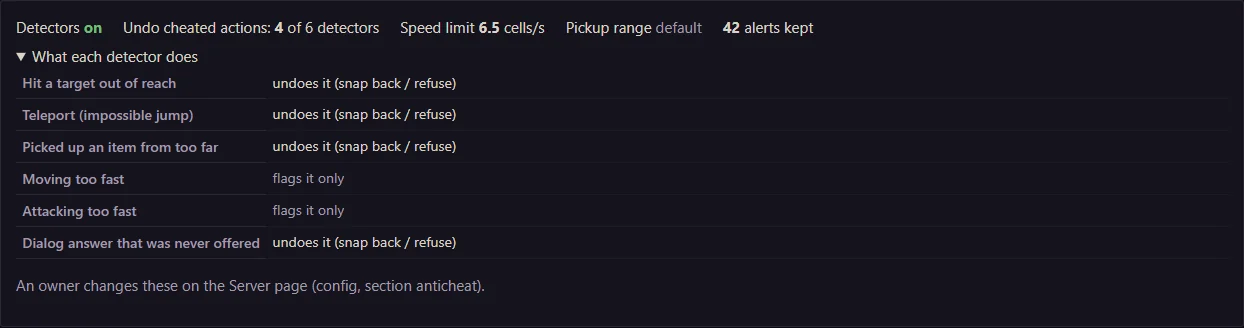
The server checks every action against the game's rules. An impossible action (a hit from out of reach, a teleport, an item picked up from too far away) is simply undone. Everything else becomes an alert for a person to review: nobody is banned by a machine alone.
- Alerts per player, a watch list, and a dismiss button for false alarms.
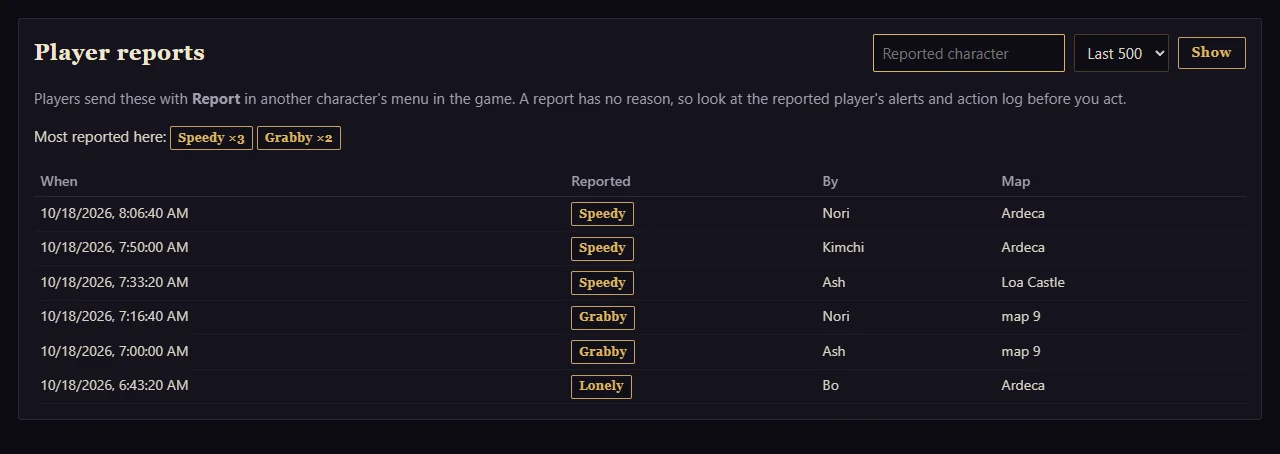
- Player reports (the Report button in game) with the most-reported names on top.
Maintenance
Plan a maintenance with its start, end and reason, end it early or extend it. The website, the launcher and the game announce it by themselves, so nobody is surprised.
Events and notices
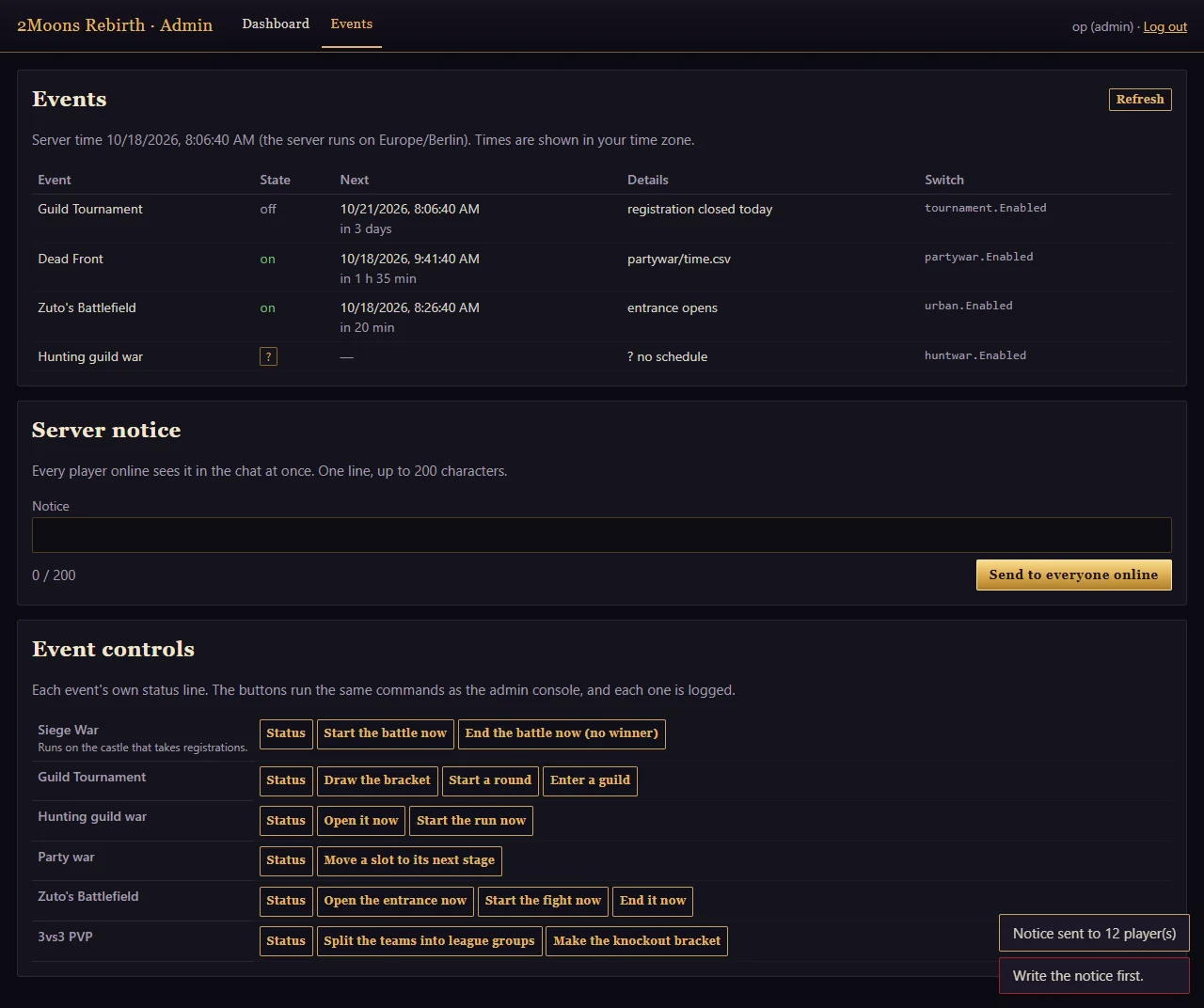
Every scheduled event in one list: when it runs next and whether it is on.
- Start or stop the siege war, the guild tournament, the hunting guild war, the party war, Zuto's battlefield and 3vs3 PvP.
- Send a notice that everyone online sees in their chat.
Server
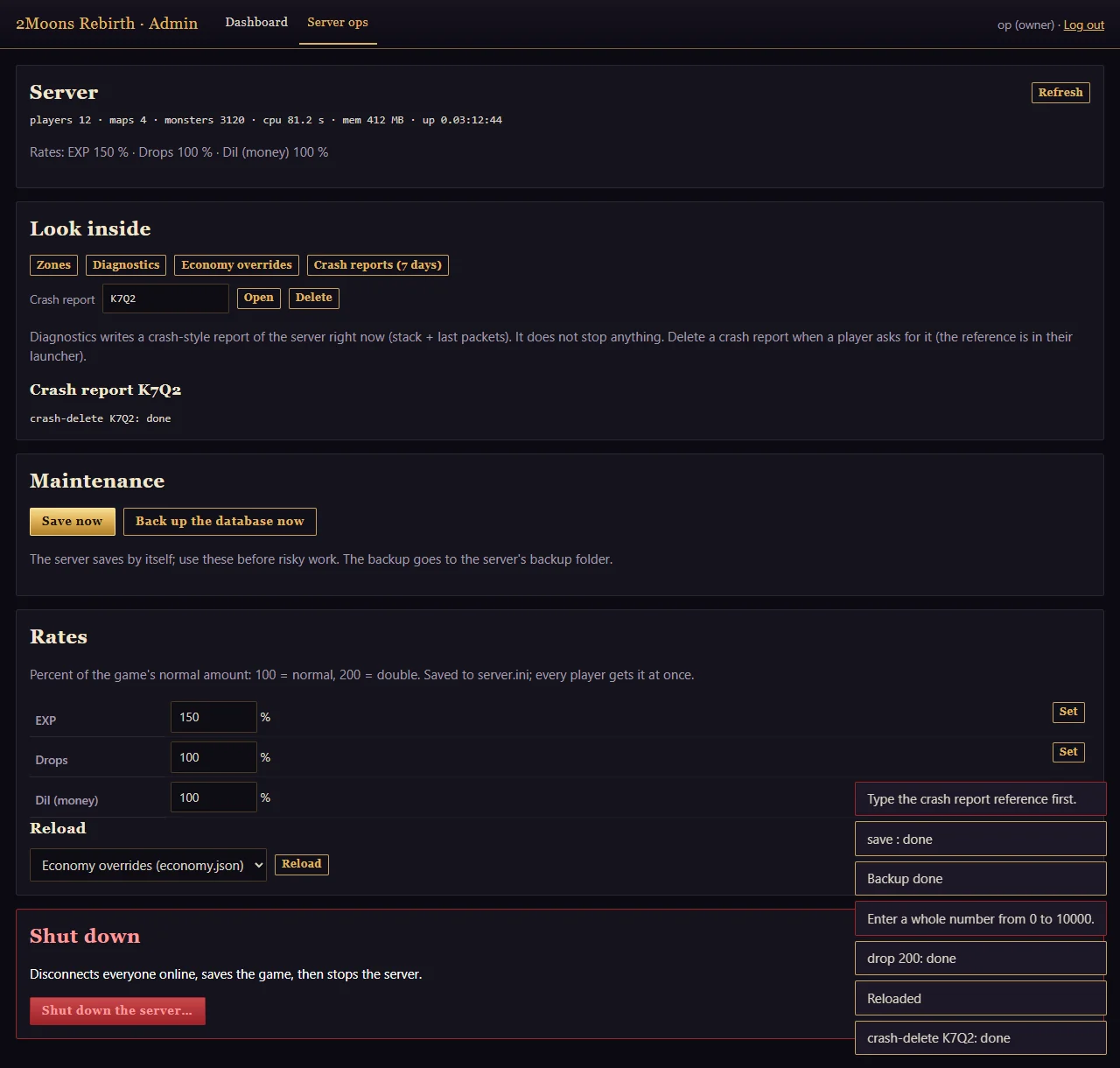
The server itself: how many players are on, EXP / drop / DIL rates (for an event weekend, for example), saves and backups, crash reports, reloading game data without a restart, and a safe shutdown that saves everyone first.
Action log and roles
Every action a team member takes is recorded: who, what and when. And everyone only sees what their role needs: viewers watch, game masters help players, admins manage accounts and bans, owners run the server.
Your say
What should change? A class that feels weak, a dungeon you'd like back, prices that feel wrong, an event you miss? Write to support@2moons-rebirth.com or tell a game master in game. We read every message, and the ideas players ask for most go to the top of our list.